A 3D visualization of Conway's Game of Life built with .NET 10, Silk.NET, and OpenGL 3.3. Each alive cell is rendered as a cube in 3D space, with generations stacking along the Y axis to create a sculptural time history of the simulation.

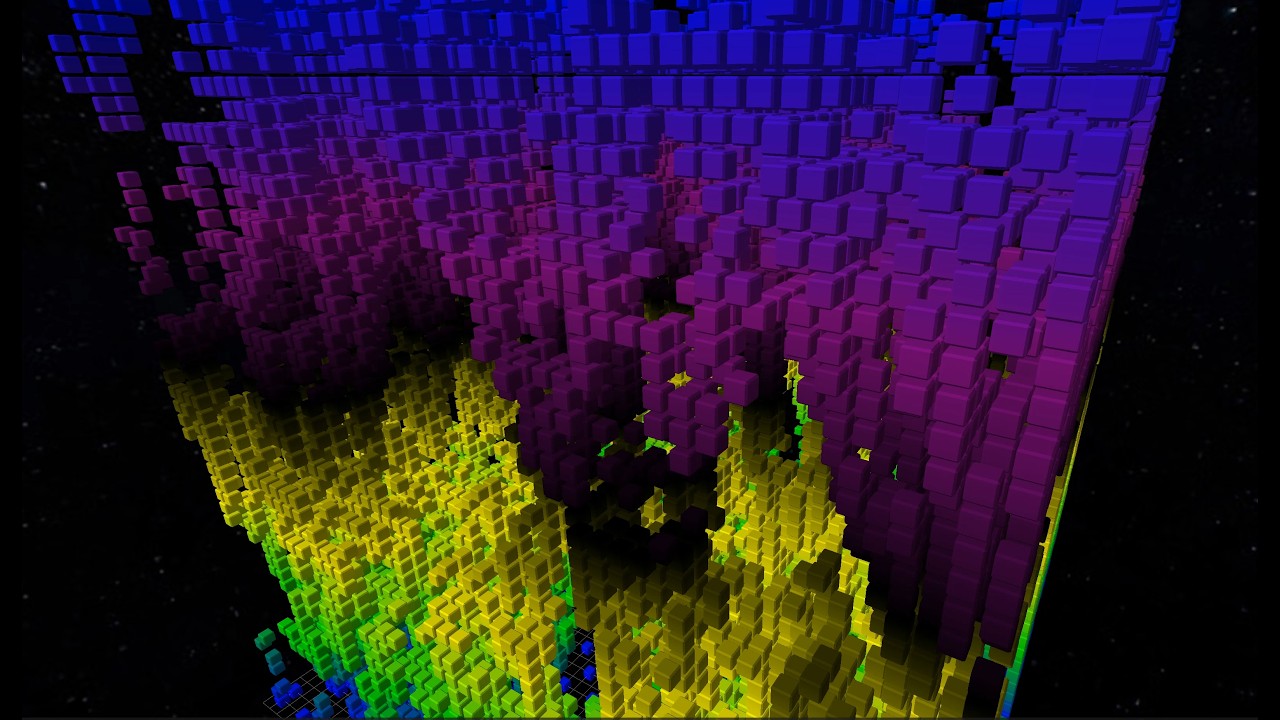
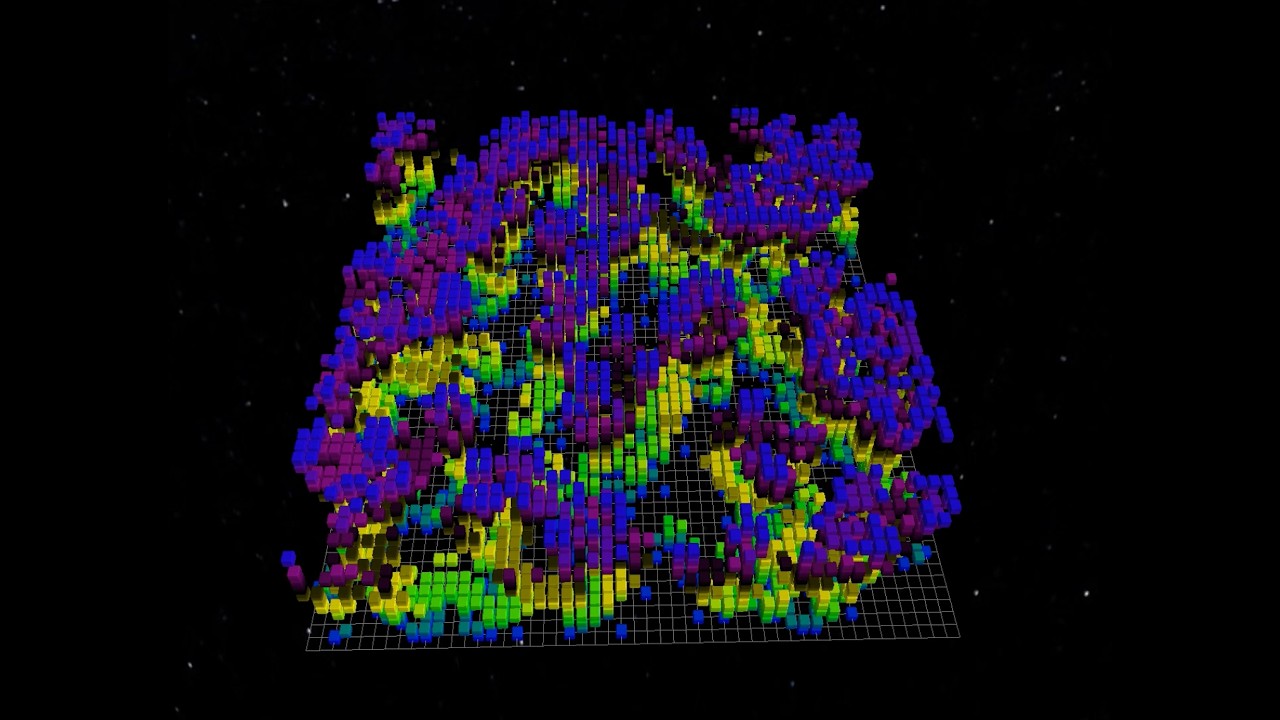

- 3D generation stacking — 2D Game of Life computed across generations, rendered as cubes (X=column, Y=generation, Z=row)
- Instanced rendering — OpenGL instanced draw calls handle up to 4 million cubes efficiently
- Color cycling gradient — HSL-based color animation across generations with configurable hue angles
- Wireframe overlay — togglable edge rendering with independent color cycling
- ImGui control panel — pattern selection, rule editing (9 presets + custom B/S rules), grid size, toroidal wrapping
- Timeline transport — play/pause, speed control, and generation range scrubbing
- Video recording — capture the current view as H.264 MP4 or VP9 WebM using ffmpeg
- Session persistence — save/load full state (pattern, camera, colors, display range) as JSON
- RLE import — load patterns from standard .rle files
- Built-in patterns — R-pentomino, Glider, Blinker, Pulsar, Gosper Glider Gun
| Input | Action |
|---|---|
| Left mouse drag | Orbit camera |
| Right mouse drag | Pan camera |
| Scroll wheel | Zoom |
| WASD | Move camera |
| Q / E | Rotate camera |
| R / F | Camera up / down |
| 0 | Restart auto orbit |
| Space | Play / Pause |
| Ctrl+R | Record video |
Video recording requires ffmpeg to be installed before the app starts. GameOfLife3D.NET does not bundle ffmpeg; it detects an ffmpeg executable from your PATH, or from common install locations on macOS and Linux.
Install ffmpeg with one of the following:
# Windows
winget install ffmpeg

# macOS
brew install ffmpeg

# Ubuntu / Debian
sudo apt install ffmpeg

# Fedora
sudo dnf install ffmpeg
After installing ffmpeg, restart GameOfLife3D.NET so video recording is enabled.
To record, open the control panel, choose a duration and codec in the Record Video section, then press Ctrl+R. Recording captures the current rendered scene at the current window resolution and saves at 30 FPS; the ImGui controls and recording indicator are not included in the video. When recording completes, choose where to save the generated .mp4 or .webm file.
The default H.264 MP4 option requires an ffmpeg build with libx264 support. If your ffmpeg build does not include libx264, switch the codec to VP9 WebM or install an ffmpeg build that includes H.264 encoding support.
Requires .NET 10 SDK. Recording video also requires ffmpeg, as described above.
dotnet build                                    # Debug build
dotnet run --project src/GameOfLife3D.NET/      # Run
dotnet publish src/GameOfLife3D.NET/ -c Release  # Publish self-contained exe
The RuntimeIdentifier is auto-detected (win-x64 on Windows, linux-x64 on Linux).
This project is licensed under the MIT License.