
An intelligent content tool that scrapes Google, extracts live web data with Bright Data MCP, and uses AI to generate articles from real-time research.


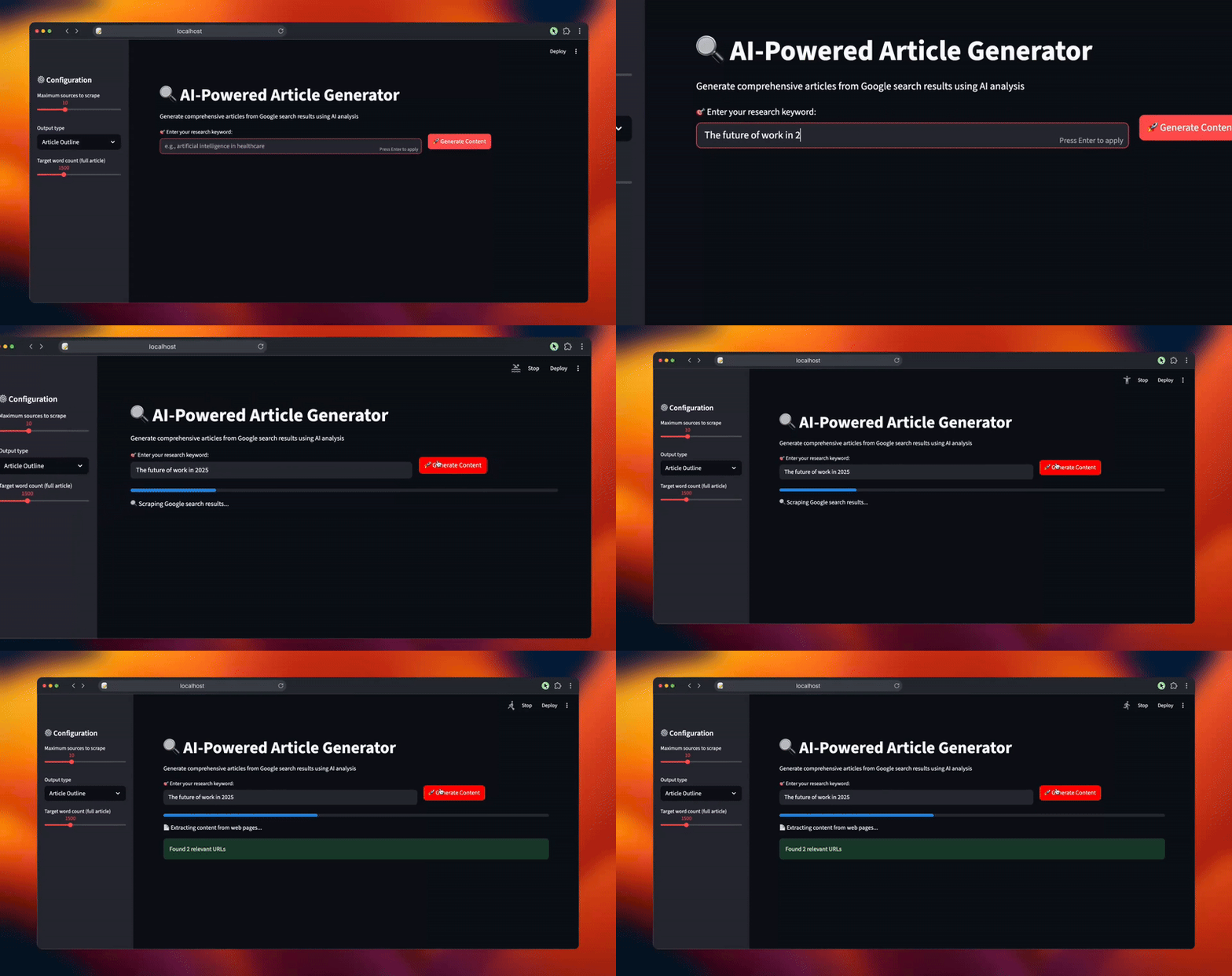
- 🔍 SERP Scraping: Automatically extract relevant URLs from Google search results
- 📄 Content Extraction: Scrape and clean content from web pages using Bright Data MCP tools
- 🧠 AI Analysis: Process content using OpenAI embeddings and vector similarity search
- ✍️ Content Generation: Create article outlines or full articles using LangChain and OpenAI
- 📊 Research Metrics: View detailed analysis of scraped content and identified themes
- Python 3.8+
- OpenAI API key
- Bright Data API token
- Node.js (for MCP tools)
-
Clone the repository
git clone <repository-url>
cd article-generator
-
Install Python dependencies
pip install -r requirements.txt
-
Install Node.js MCP tools
npx @brightdata/mcp
-
Set up environment variables
Create a
.envfile in the project root:OPENAI_API_KEY=your_openai_api_key_here BRIGHT_DATA_API_TOKEN=your_bright_data_api_token_here WEB_UNLOCKER_ZONE=your_web_unlocker_zone_here BROWSER_ZONE=your_browser_zone_here
-
Start the application
streamlit run article_generator.py
-
Open your browser
The app will automatically open at
http://localhost:8501 -
Generate content
- Enter your research keyword (e.g., "artificial intelligence in healthcare")
- Configure settings in the sidebar:
- Maximum sources to scrape (5-20)
- Output type (Article Outline or Full Article)
- Target word count for full articles (800-3000)
- Click "🚀 Generate Content"
- Search: Scrapes Google search results for your keyword
- Extract: Downloads and cleans content from relevant web pages
- Analyze: Uses AI embeddings to identify key themes and insights
- Generate: Creates structured content based on the research analysis
- Maximum sources: Number of web pages to scrape (5-20)
- Output type: Choose between article outline or full article
- Target word count: Desired length for full articles (800-3000 words)
OPENAI_API_KEY: Your OpenAI API key for content generationBRIGHT_DATA_API_TOKEN: Your Bright Data API token for web scrapingWEB_UNLOCKER_ZONE: Bright Data web unlocker zone (default: mcp_unlocker)BROWSER_ZONE: Bright Data browser zone (default: scraping_browser1)
- Research Metrics: View source count, content chunks, total words, and average chunk size
- Theme Analysis: See key themes identified with sample insights and source references
- Generated Content: Receive markdown-formatted articles or outlines
- Download Option: Save generated content as markdown files
- Ensure all API keys are correctly set in the
.envfile - Check that Node.js and the Bright Data MCP tools are properly installed
- Verify internet connection for web scraping functionality
- Make sure OpenAI API has sufficient credits
This project is for educational and research purposes.