Interactive force-directed graph visualizer for git diffs. Analyzes changed files between branches using ts-morph to extract TypeScript/JavaScript import relationships, then renders an interactive graph as a self-contained HTML file.
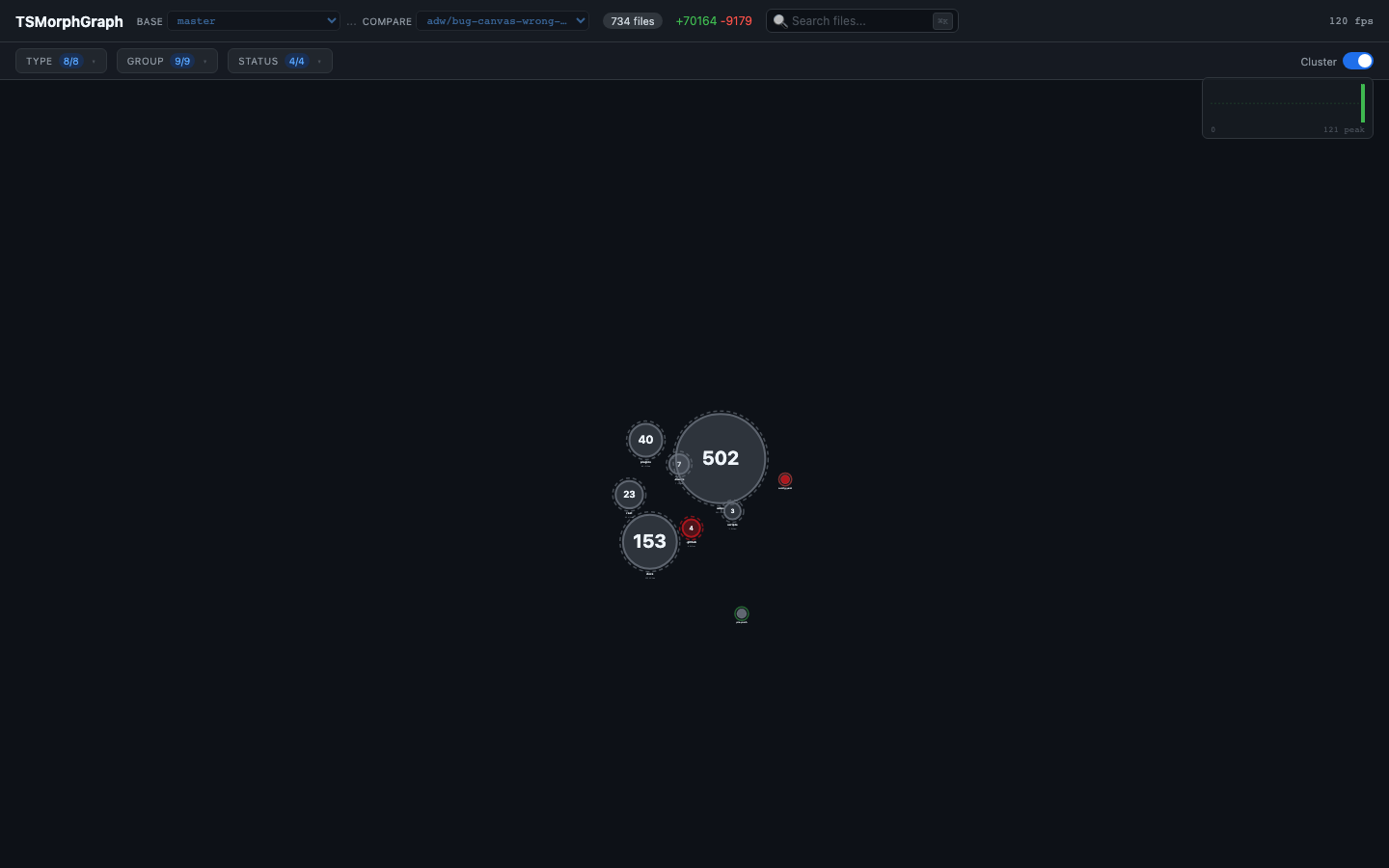
- Force-directed graph — nodes are files, edges are import relationships between changed files
- Search —
Cmd+K/Ctrl+Kto find any file, camera flies to the node - Filters — dropdown multiselect for file types (TS, JS, JSON, CSS...), groups/layers, and statuses (added, modified, deleted)
- Clustering — toggle to collapse groups into cluster nodes; click a cluster to expand it
- Diff viewer — click any node to see file details and the actual unified diff with colored lines
- Branch comparison — dropdown selectors to switch between branches/PRs and re-analyze live (requires
--servemode) - Self-contained HTML — output is a single file you can share, open offline, or commit to a PR
npm install --save-dev tsmorph-graphnpm install -g tsmorph-graphgit clone https://github.com/QusayNaserFHS/TSMorphGraph.git
cd TSMorphGraph
npm install# From within any git repo
npx tsmorph-graph --base main --branch HEAD --open
# Or specify a repo path
npx tsmorph-graph --repo /path/to/project --base main --branch feature/my-branch --opennpx tsmorph-graph --repo . --base main --branch HEAD --diff-content --opennpx tsmorph-graph --repo . --base main --branch HEAD --diff-content --serveThis starts a local server at http://localhost:3742. You can change branches from the dropdowns in the toolbar — the graph re-analyzes and updates without page refresh.
npm run analyze -- --repo /path/to/project --base main --branch HEAD --diff-content --open
npm run analyze -- --repo /path/to/project --base main --branch HEAD --diff-content --serve| Flag | Description | Default |
|---|---|---|
--repo <path> |
Path to git repository | Current directory |
--base <branch> |
Base branch for diff | main |
--branch <branch> |
Compare branch | HEAD |
--diff-content |
Include unified diff per file (opt-in) | Off |
--output <dir> |
Output directory | ./output |
--open |
Auto-open HTML in browser | Off |
--serve |
Start live server with branch switching | Off |
--port <number> |
Server port (with --serve) |
3742 |
--list-branches |
Print available branches as JSON and exit | — |
import { analyze, generateHtml } from 'tsmorph-graph';

const data = analyze({
  repo: '/path/to/project',
  base: 'main',
  branch: 'feature/xyz',
  diffContent: true,
});

const html = generateHtml(data);
// data.nodes, data.links, data.meta are also available| Action | Effect |
|---|---|
Cmd+K / Ctrl+K |
Open file search |
| Click node | Select node, open detail panel with diff |
| Click background | Deselect, close detail panel |
| Scroll | Zoom in/out |
| Drag | Pan the graph |
| Cluster toggle | Collapse/expand groups |
| Click cluster node | Expand that cluster |
| Filter dropdowns | Show/hide nodes by type, group, or status |
git diff base...branch
       |
       v
  Parse --name-status + --numstat
       |
       v
  ts-morph: analyze imports between changed .ts/.tsx/.js/.jsx files
       |
       v
  Build nodes (files) + links (imports) + metadata
       |
       v
  Inject JSON into self-contained HTML template (force-graph)
       |
       v
  output/graph.html  (open in browser)
{
  "meta": { "branch": "...", "base": "...", "totalFiles": 30, "totalAdditions": 500, "totalDeletions": 120 },
  "nodes": [
    { "id": "src/foo.ts", "name": "foo.ts", "filePath": "src/foo.ts", "additions": 42, "deletions": 10, "status": "modified", "fileType": "typescript", "group": "core", "diffContent": "..." }
  ],
  "links": [
    { "source": "src/foo.ts", "target": "src/bar.ts" }
  ]
}- TypeScript (ESM) — all source code
- ts-morph — TypeScript AST analysis for import extraction
- force-graph — 2D canvas force-directed graph (loaded from CDN)
- Nx — workspace tooling (build, cache)
MIT