A modern, feature-rich notepad application with markdown support, drawing tools, and a beautiful user interface.
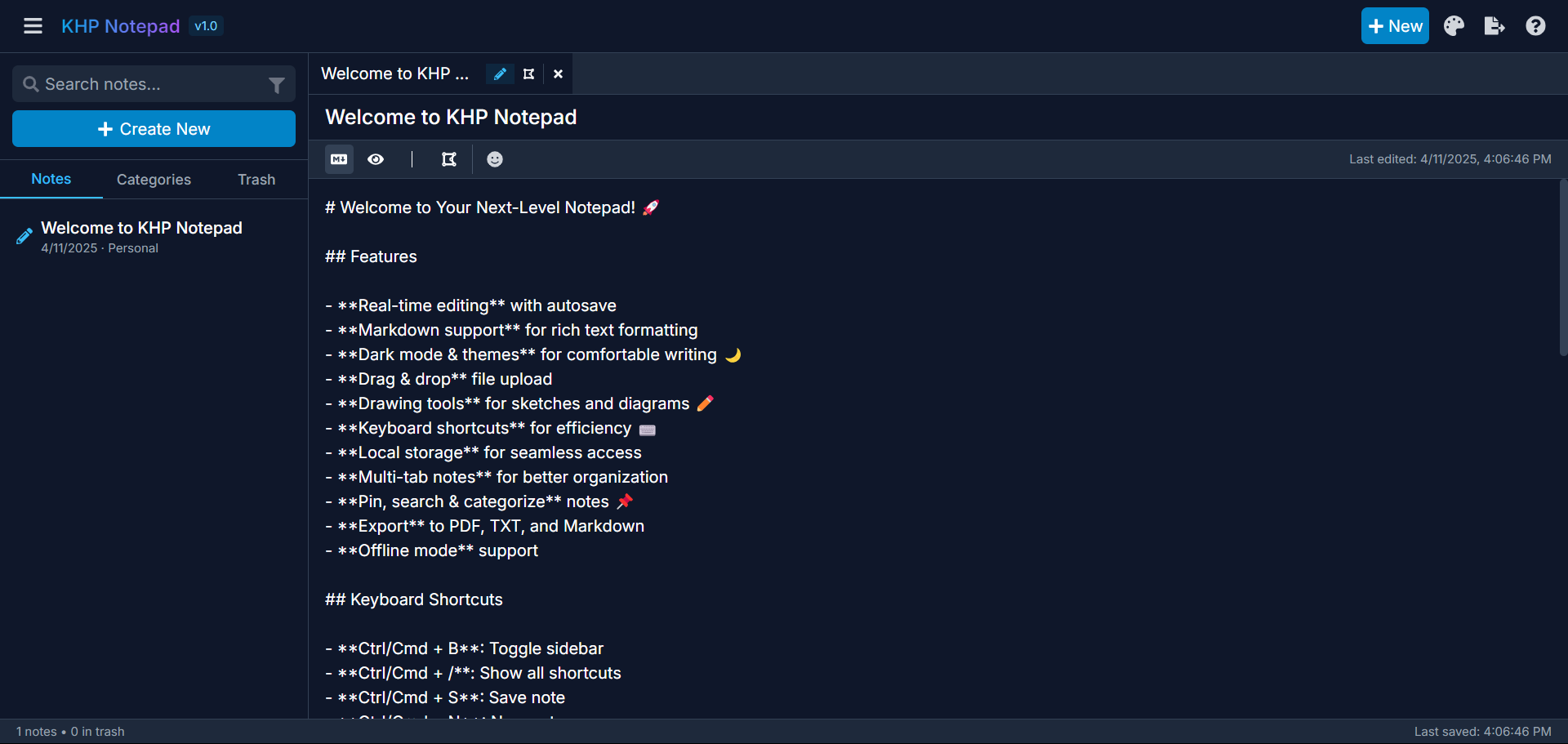
Visit https://khpnotepad.netlify.app/ to see the application in action.
- Real-time editing with autosave
- Markdown support for rich text formatting
- Dark mode & themes (Blue, Purple, Green)
- Advanced drawing tools with multiple brushes, shapes, and color options
- Drag & drop file upload
- Multi-tab notes for better organization
- Pin, search & categorize notes
- Export to PDF, TXT, and Markdown
- Keyboard shortcuts for efficiency
- Local storage for seamless access
- Offline mode support
- React
- Tailwind CSS
- LocalForage for storage
- React Sketch Canvas for drawing
- React Markdown for rendering
- File-Saver for exports
- Node.js (v14 or higher)
- npm or yarn
- Clone the repository
git clone https://github.com/yourusername/khp-notepad.git
cd khp-notepad- Install dependencies
npm install
# or
yarn install- Start the development server
npm run dev
# or
yarn dev- Open your browser and navigate to
http://localhost:5173
- Ctrl/Cmd + B: Toggle sidebar
- Ctrl/Cmd + /: Show all shortcuts
- Ctrl/Cmd + S: Save note
- Ctrl/Cmd + N: New note
- Ctrl/Cmd + F: Search notes
- Ctrl/Cmd + E: Export current note
- Ctrl/Cmd + D: Toggle dark mode
KHP Notepad includes a comprehensive set of drawing tools:
- Freehand drawing with adjustable brush sizes
- Eraser tool with adjustable sizes
- Shape tools (rectangle, circle)
- Color picker with custom color support
- Layer management
- Zoom controls
- Export drawings as PNG
KHP Notepad comes with three beautiful themes:
- Default Blue: A clean, professional blue theme
- Purple: A vibrant purple theme for creative work
- Green: A calming green theme for focused writing
All themes are available in both light and dark modes.
Contributions are welcome! Please feel free to submit a Pull Request.
- Fork the repository
- Create your feature branch (
git checkout -b feature/amazing-feature) - Commit your changes (
git commit -m 'Add some amazing feature') - Push to the branch (
git push origin feature/amazing-feature) - Open a Pull Request
This project is licensed under the MIT License - see the LICENSE file for details.
- Icons from React Icons
- Color picker from React Color
- Drawing canvas from React Sketch Canvas
Made with ❤️ by KHP Team