If you prefer to run the codeChecker.exe file instead of the python file, here is how to do it:
It is pretty simple.
- First click on the exe file in the project
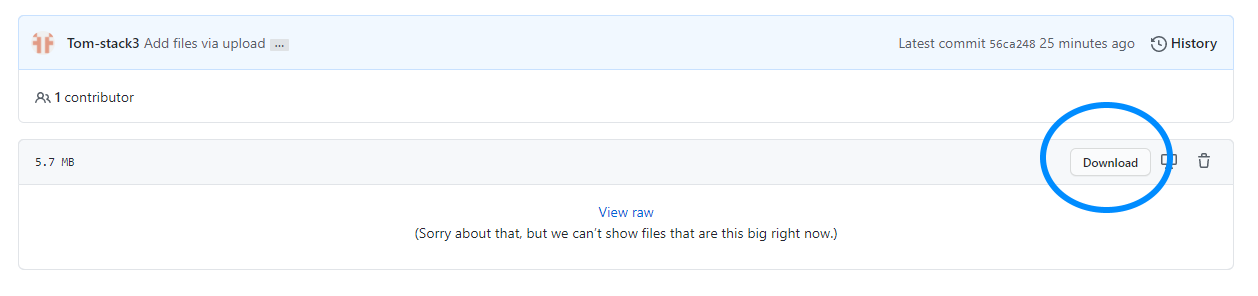
- Now click on download:
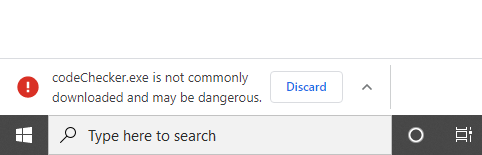
Because Google Chrome warns about downloading any exe from the web,
we do those to steps:
-
After Downloading the exe, you should see this in the bottom of your screen:
-
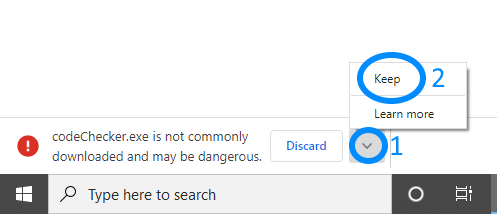
To ignore the warning from Chrome:
-
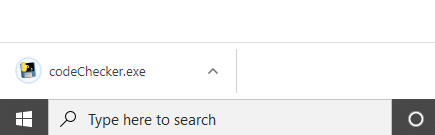
Now to run the program, just click on the file.
f.y.i: I reached out to Microsoft so that the Windows Defender won't block the program,
currently it works and the exe isn't blocked by it.
Still Google Chrome warns about it, but it does for downloading any exe from the internet.
Because generally, downloading an exe file is not always safe around the internet.